
Any song.
Charted.
Lyricly turns any recording into a lead sheet.

Chords, right where they change.
The chart follows the song. Every chord lights up on the word it lands on.
How it works.
-
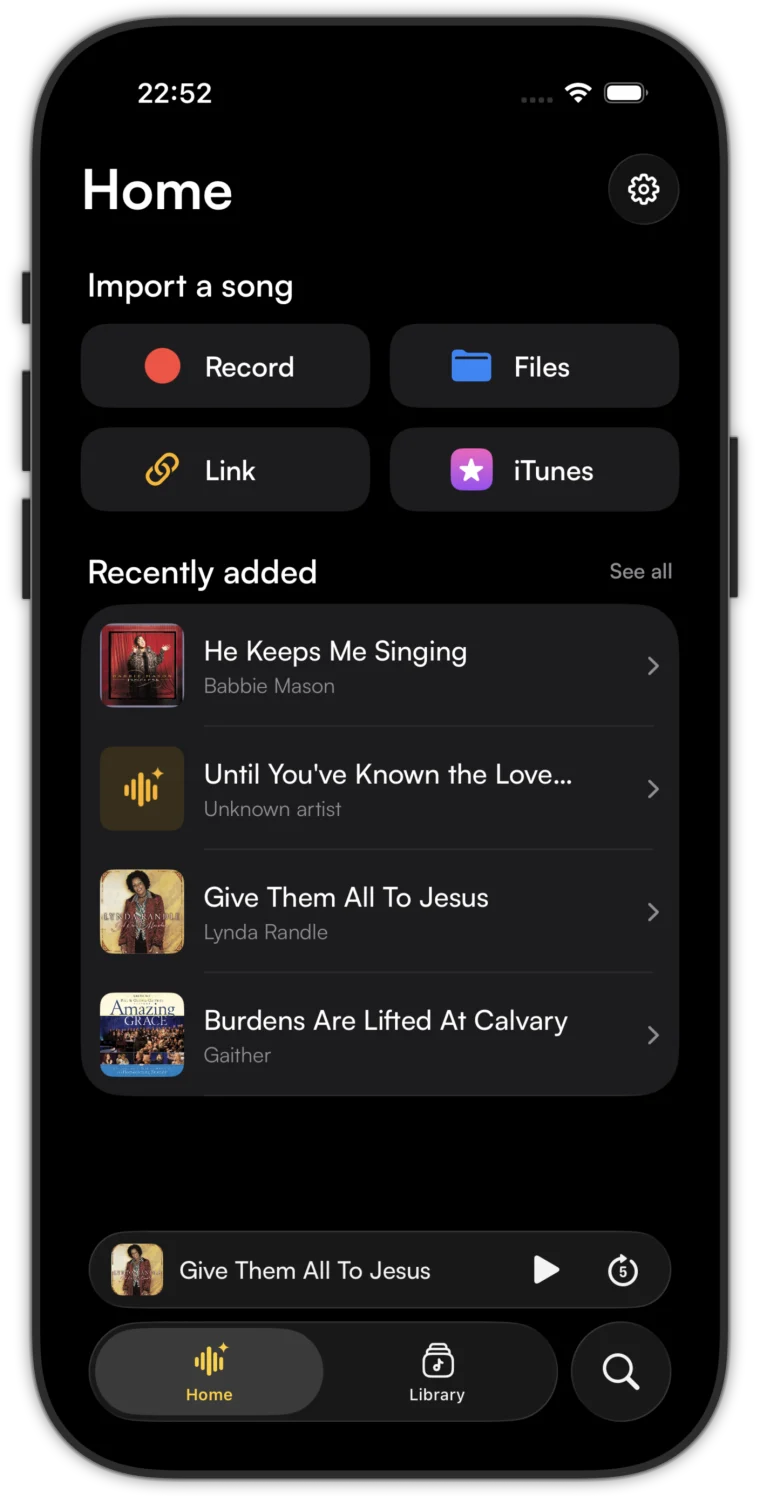
Bring a song
Record it, open a file, paste a link, or pick it from your library.
-
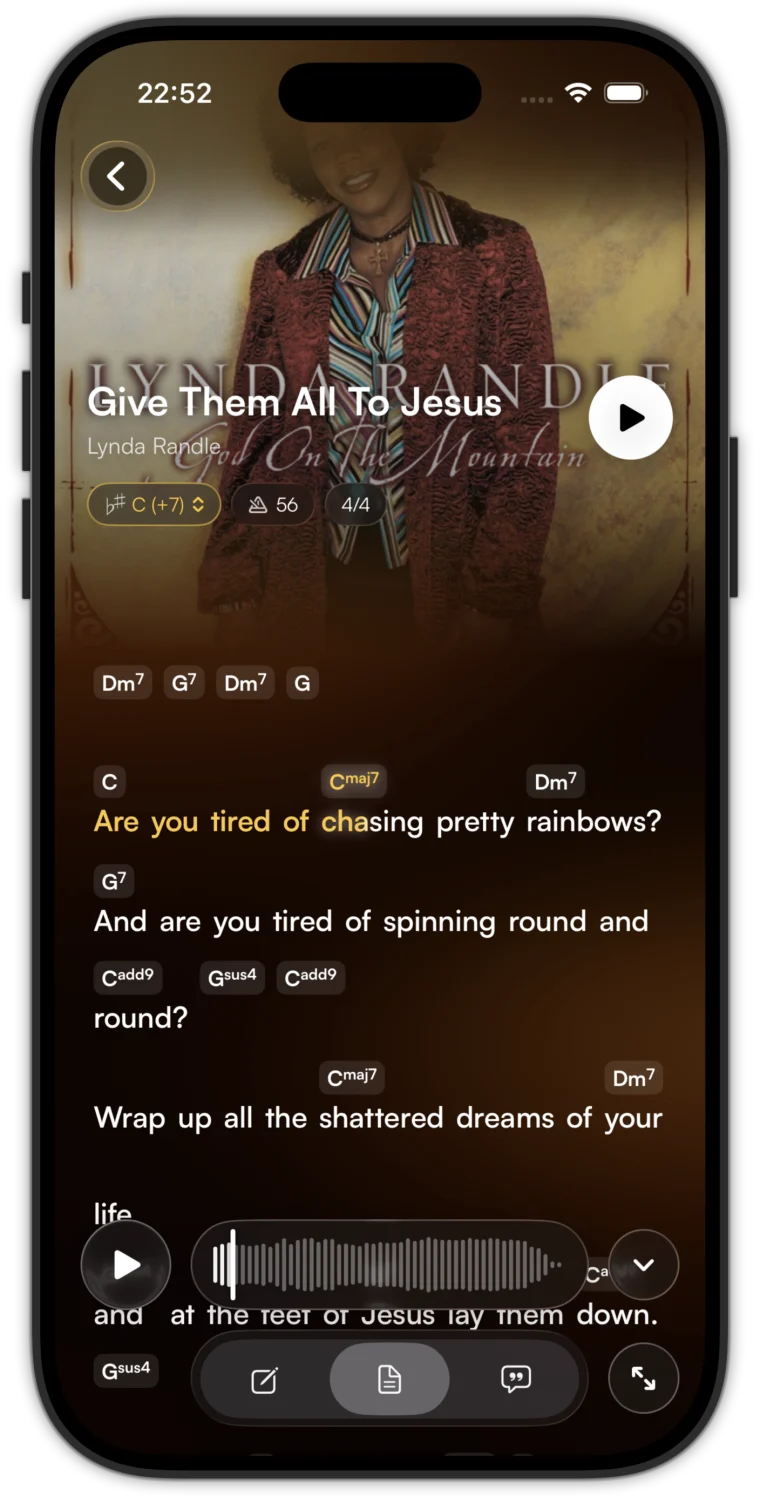
Get the chart
Lyricly listens and writes the lead sheet, chords on the words.
-
Play along
Follow the chart or the words. Change the key, fix a chord, save it.
Make it yours.
A chord keyboard built for charts. Sevenths, sus chords and slash bass, with undo.
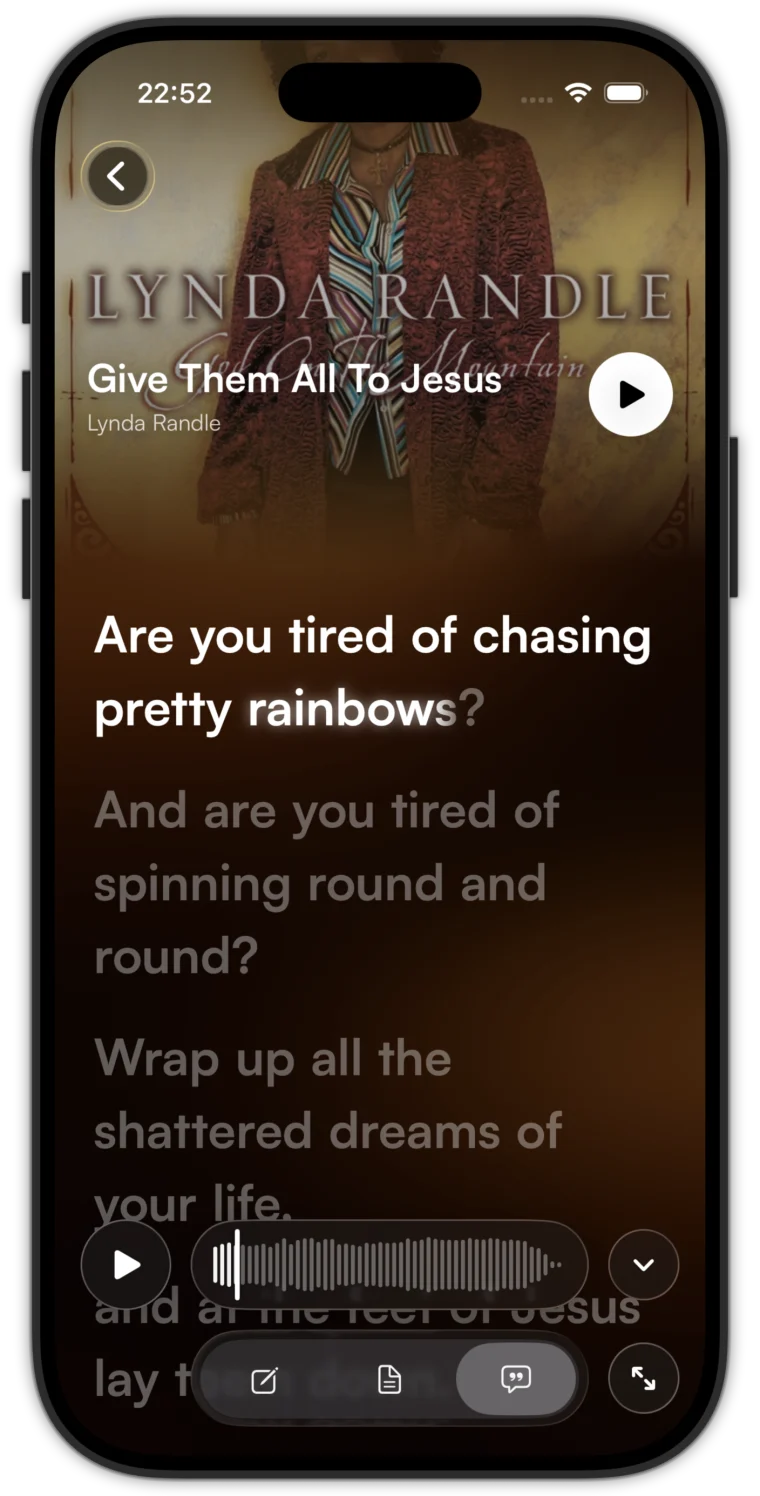
Follow every word.
Lyrics mode lights up each word as it's sung.
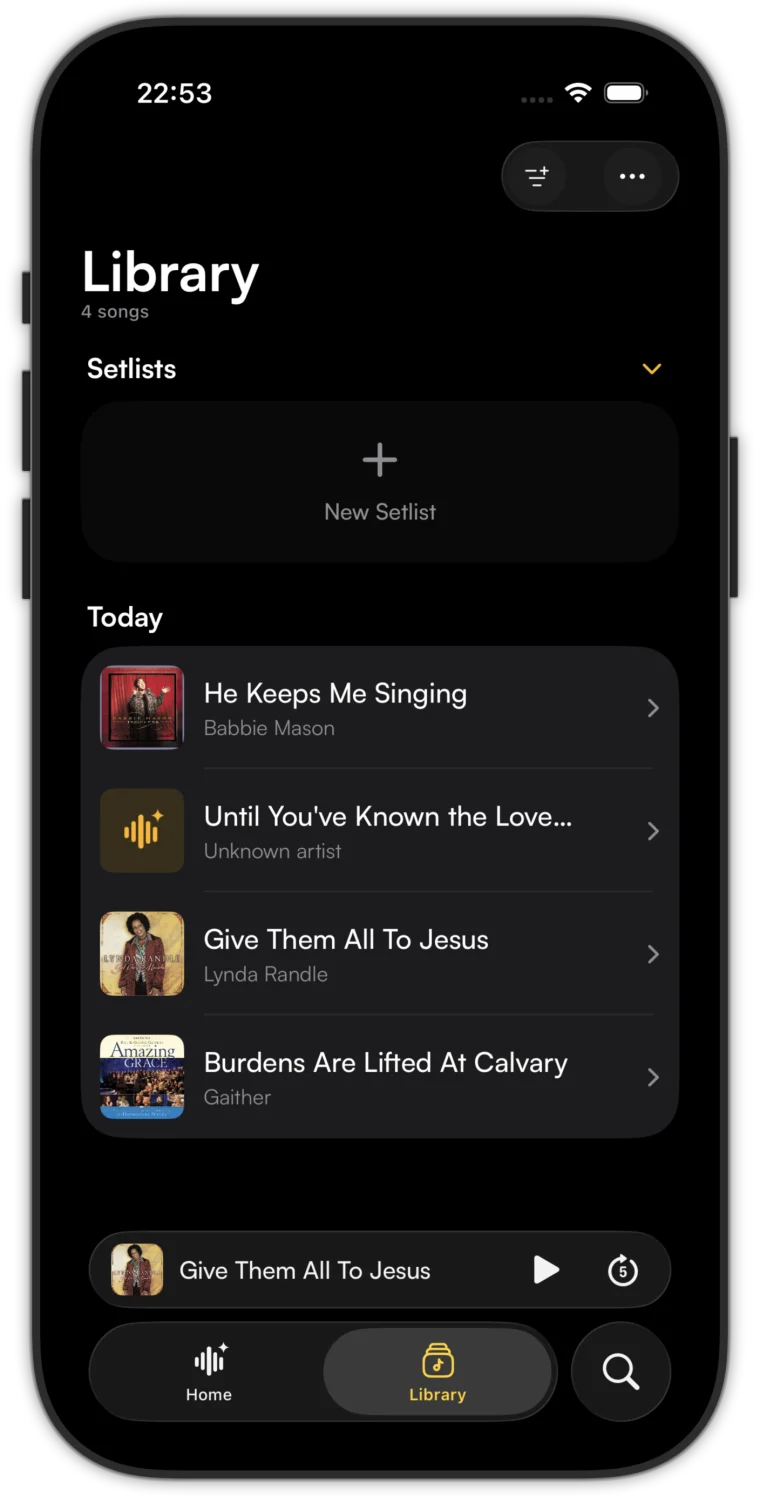
Ready for Sunday.
Group songs into setlists and keep them in order.
Questions.
What does Lyricly do?
Give it a recording and it writes the lyrics with each chord above the word where it changes.
Where can songs come from?
Record in the app, open an audio file, import from a link, or pick from your music library.
What if a chord is wrong?
Tap it and change it. Edits are saved to your chart.
Can I use my own lyrics?
Yes. Paste them in and Lyricly times them to the voice.
When is it launching?
Soon, on iPhone. Get in touch to try it early.
Get in touch.
Questions, feedback, early access. We reply by email.